Try OrderHue in your browser
Explore a ready-made WooCommerce store with fictional orders on WordPress Playground. There is nothing to install.
Open the live demo (opens in a new tab)
Allow about 30–60 seconds to start; load time varies with your connection and device.
What you can try
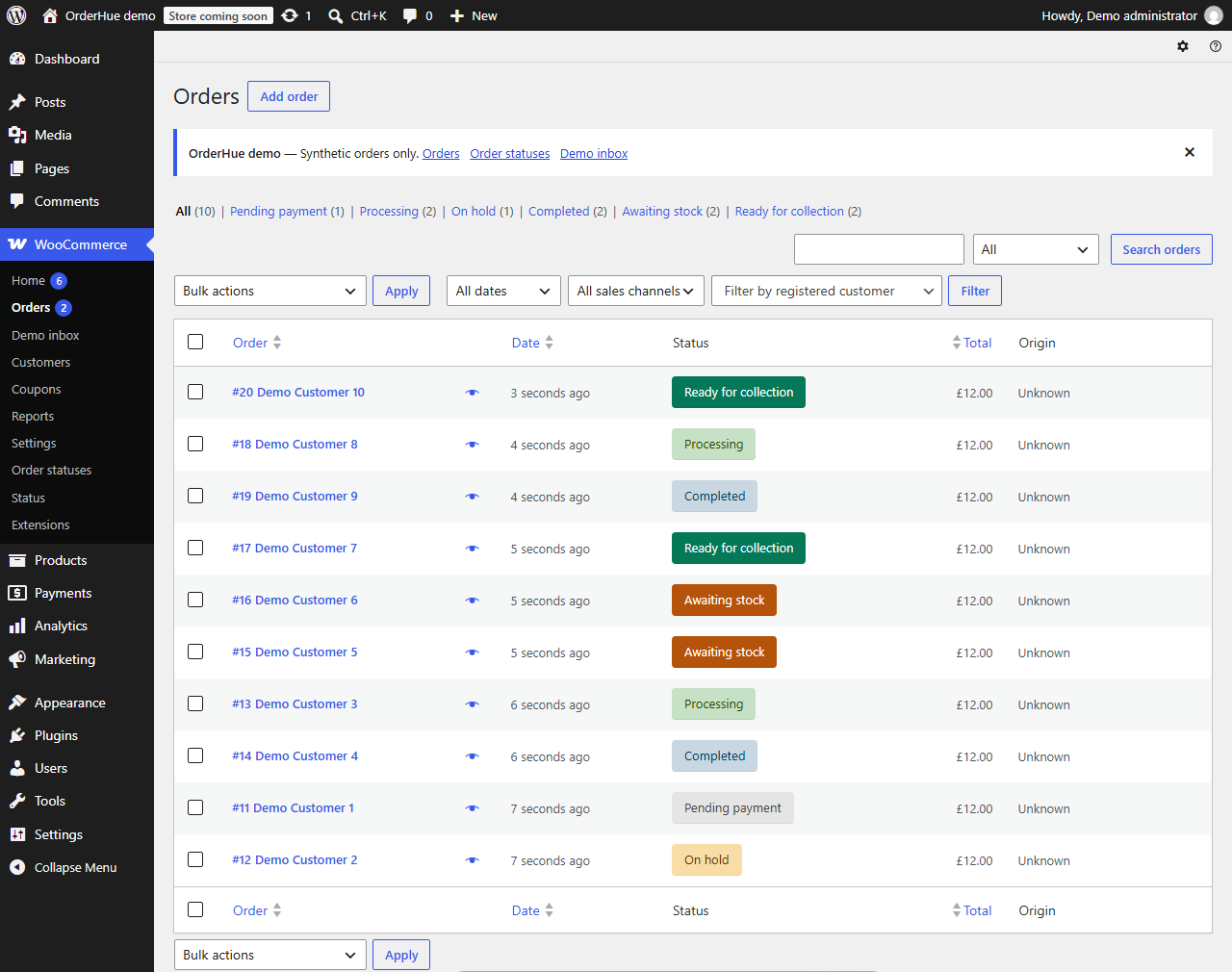
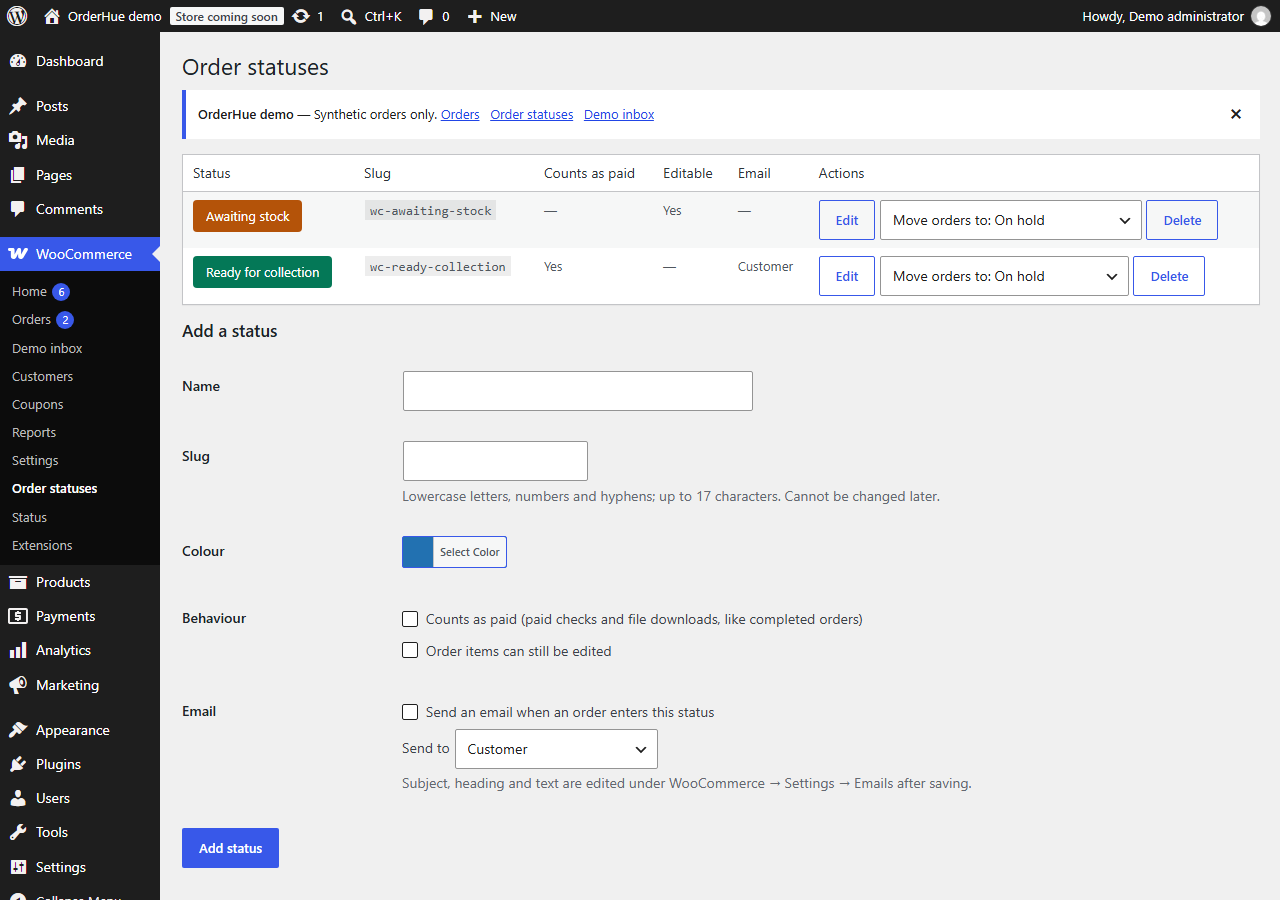
The screenshots below show the demo’s orders, custom statuses and customer email. Select a screenshot to view it at full size.
Coloured order statuses
Custom statuses and email settings
A customer email
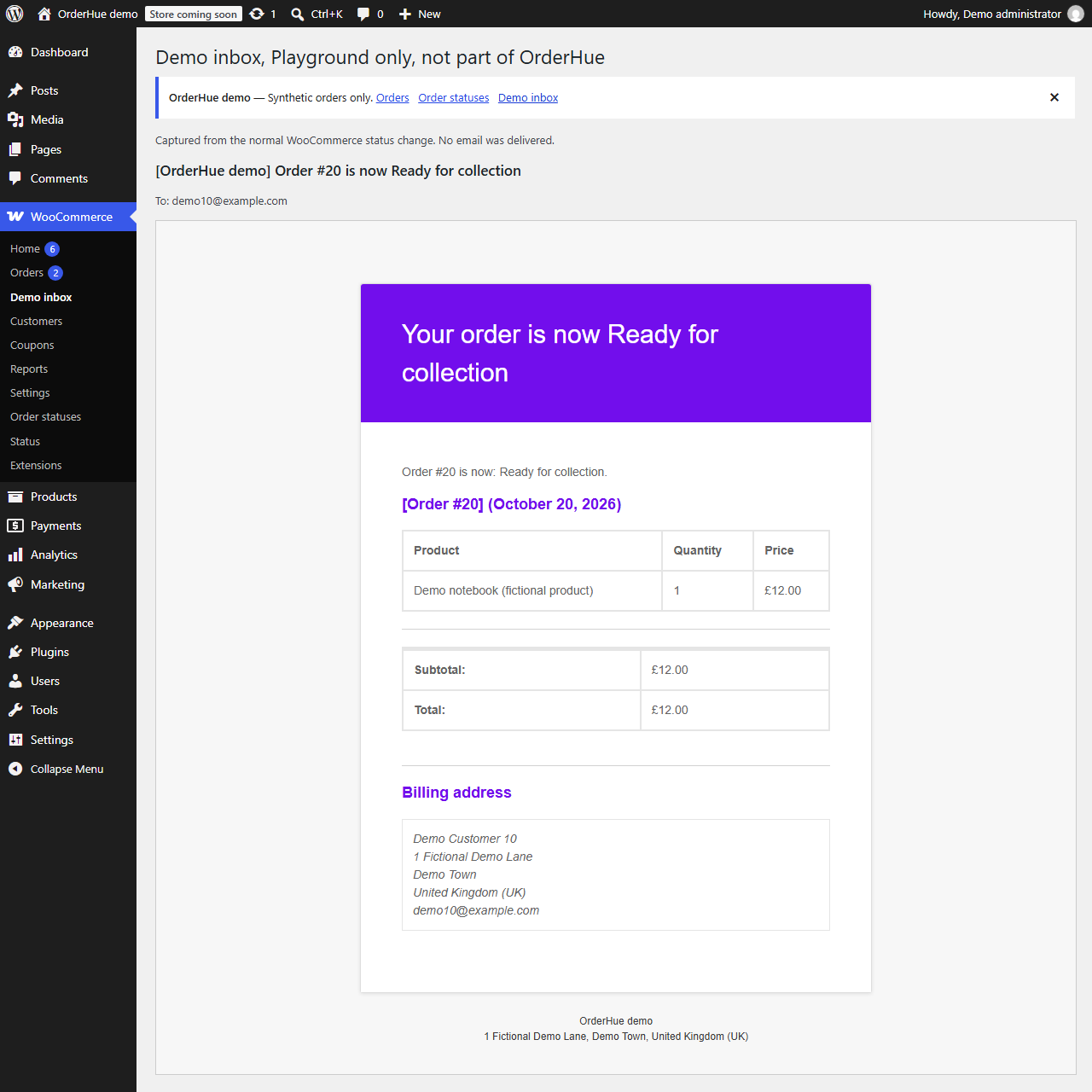
The demo inbox is a Playground-only aid for viewing the captured email; it is not part of OrderHue.
Get OrderHue on WordPress.org.
Get OrderHue Pro (paid) adds rules to the free plugin. When an order enters a status, a rule can change the status, email your customer or your team, and add an order note.